Finds the roles
Reads the free public job boards directly, with no key, no scraping and nothing imagined, then researches employers' own career pages when your runner can browse. Every posting is verified live before it reaches your board.
The Remote Ledger finds remote roles, tailors your résumé to each posting with your own AI key, drafts the cover letter and tracks every application — running entirely on your own machine. No SaaS, no subscription, no account.
No account. No server. No telemetry. Your résumé never leaves your computer.
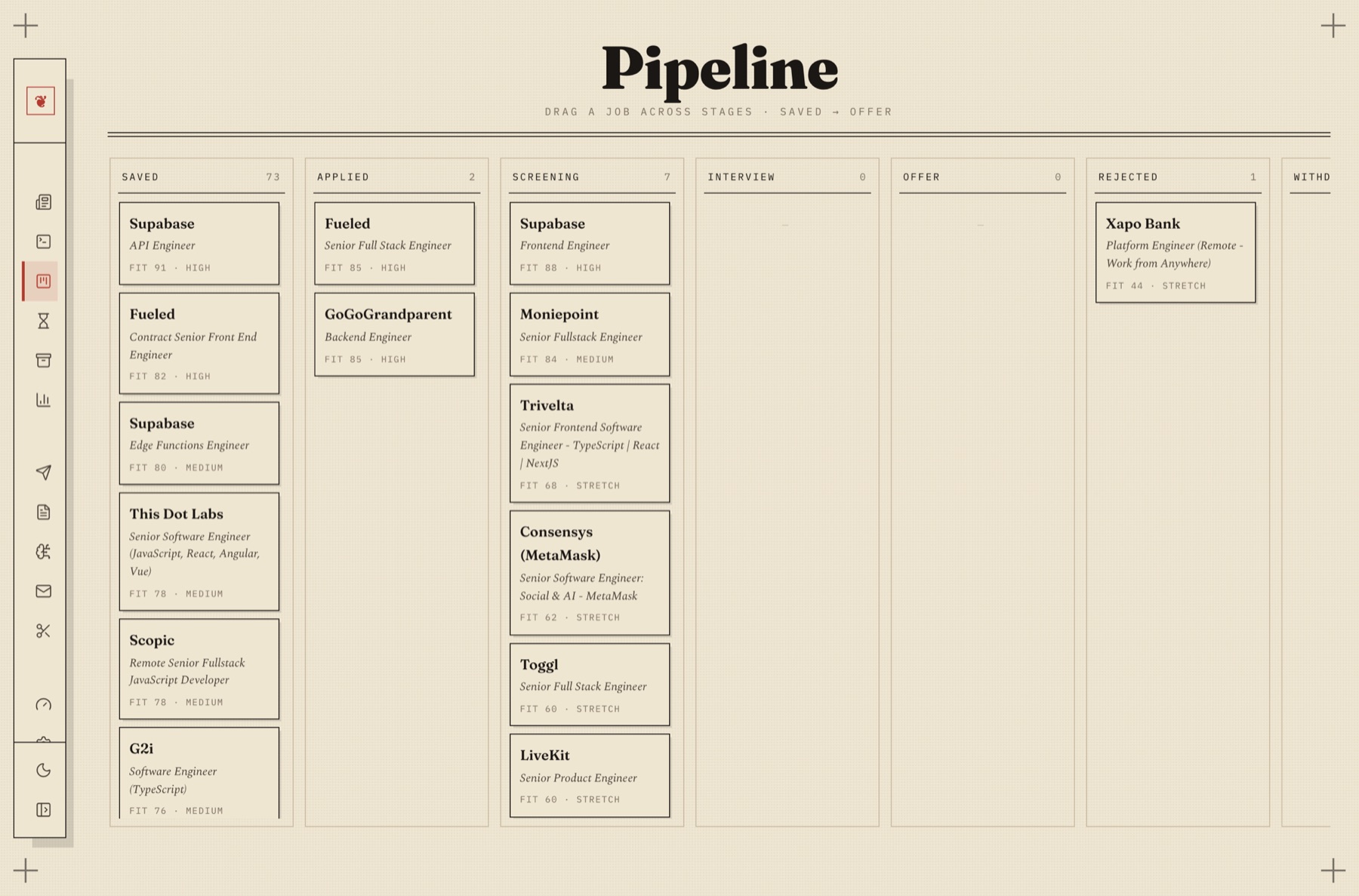
Drag a job from Saved to Applied to Screening to Offer. Fit scored against your actual résumé, not against the keywords you happened to type.
Nothing on this board was invented. Every posting was opened and read before it was filed, and anything whose application page did not resolve was dropped, not guessed at.
Six things, each of which you would otherwise do by hand.
Reads the free public job boards directly, with no key, no scraping and nothing imagined, then researches employers' own career pages when your runner can browse. Every posting is verified live before it reaches your board.
Rewrites your résumé for one posting, from your real experience. An anti-hallucination guard checks every claim against what you actually gave it, so it never invents an employer, a metric or a year you do not have.
A knowledge base built from your own projects, folders and notes. When a posting asks for something your résumé does not show, it asks you where you did it, then keeps the answer for next time.
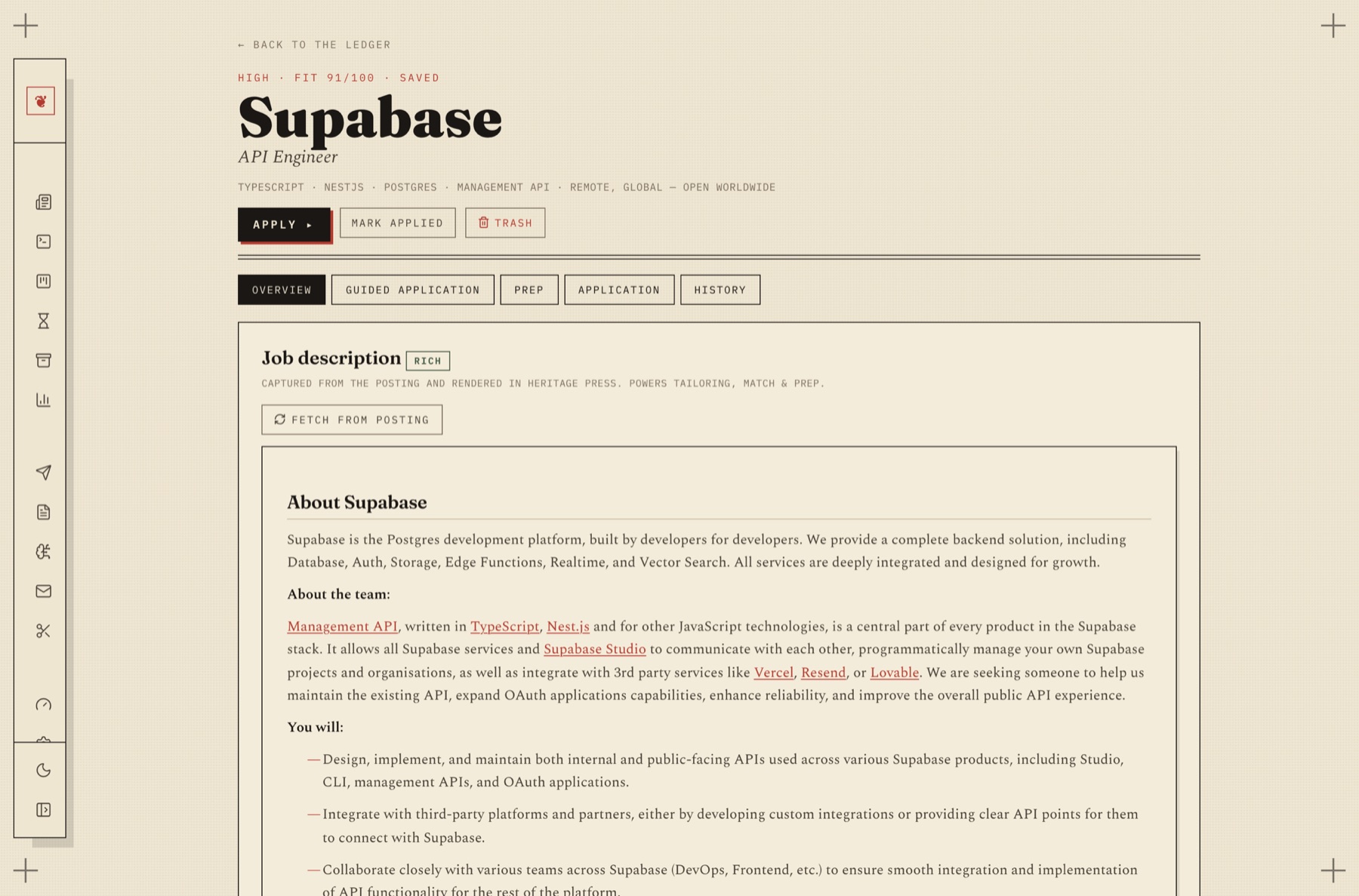
A guided flow per job: analyse the match, close the gaps with evidence, tailor, cover letter, apply. Skip any step. Come back to any step.
A browser button that files whatever posting you are looking at, reads it in full, and scores it against your résumé before you have finished the tab.
Every AI call is logged with what it was for and what it cost. Set a monthly cap. Nothing is billed anywhere you cannot see.
The one thing a job tool must never do.
Ask a language model to find jobs and it will happily produce ten, beautifully formatted, several of which do not exist. This is the failure mode that makes AI job tools worthless, and it is not solved with a sterner prompt.
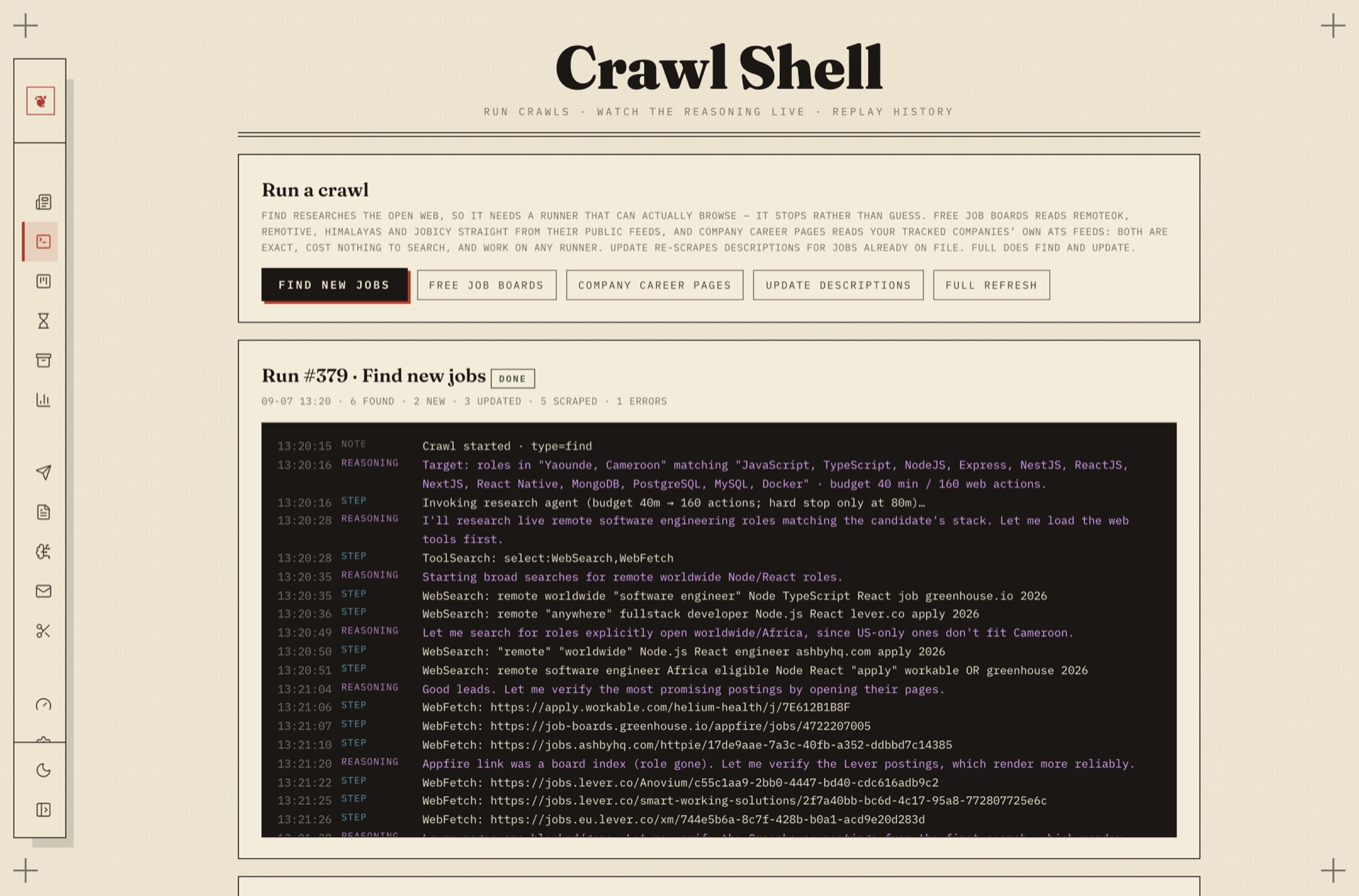
So finding is not a thing the model is trusted to do. Every posting is opened and verified before it is filed. In the run below the agent follows a link, discovers it is a board index and not a live role, says so, and moves on. That job never reaches your board.
When the runner you chose cannot browse the web at all, it does not pretend. It says so and reads the free public job feeds instead, where the postings are real because they were downloaded, not recalled.
Three ways to power it, and one of them is free.
If you subscribe to Claude, ChatGPT, Cursor or Gemini, their command-line agent is part of that subscription. The Ledger uses it. No key, no per-token bill, and it can browse, which is what finding new jobs actually needs.
Paste a key from Anthropic, OpenAI, Google, Groq, Mistral or OpenRouter. It is encrypted on your machine and only ever sent to the provider you chose. OpenRouter carries free models that run the whole app.
Install Ollama from inside the app and run an open model locally. No account, no cost, and your résumé and salary history never touch the internet. The one thing a local model cannot do is browse, so the free job boards do the finding instead.
The part that actually takes the afternoon.
Analyse the match. Close the gaps it finds. When a posting wants a skill your résumé does not show, it asks where you used it instead of writing you a new past. Tailor. Cover letter. Apply.
Everything you tell it goes into a knowledge base that is yours, so the next posting that asks the same question already has your answer.
The job-board list is the part of this that compounds.
The boards this ships with were short because one person wrote them. Everybody running the Ledger is quietly finding boards that work: a regional one, a niche one, one that is not tech-only. None of it ever came back.
Now it can. Track a board the shipped list does not carry and the Companies tab will offer it back as a pull request, opened from your own GitHub account, under your name. You see the exact payload, board by board, before any of it leaves. It stays opt-in, because switching it on is not consent to whatever today's list happens to hold.
Every board that arrives this way ships to everybody on the next update, with the notes about how to crawl it politely already attached.
Before job boards, before LinkedIn, before any of this, you found work in the paper. The Situations Vacant column came out on a Tuesday, and people bought the early edition, went down it with a pen, circled what looked possible, and moved fast, because everybody else in town had the same page in front of them.
Those adverts were terse because you paid for them by the line. No filler, no “fast-paced dynamic environment”, no six paragraphs about the mission before the salary. What the job was, where it was, what it paid, and how to apply. The constraint made them honest.
That is the feeling this is built around, and not only because it looks good. A tool that pads is a tool that is inventing, and the discipline the classifieds got from a price per line, this gets from refusing to write anything it cannot evidence. So the fit is one number. The fine-print is one line. A posting it could not verify does not appear at all.
Hence the ledger, the ruled columns, the two-colour press and the crop marks. It is a broadsheet because a broadsheet is what a job hunt used to be, and because the shape carries the argument.
Plainly, so you can decide before you install instead of after.
The app is open source and costs nothing. The AI behind it is whatever you choose: free on a local model or on OpenRouter's free tier, included if you already subscribe to an agent CLI, or metered per token if you bring a paid key. The app shows you the cost either way.
You need to be comfortable installing something and running one command. The setup wizard handles the rest. It detects what is on your machine, installs a local model for you if you want one, and proves each step works before moving on.
No. You pick your line of work, from customer support to design, marketing, sales, finance, healthcare and teaching. The search, the scoring and the résumé writing all follow it.
It is built specifically not to. Tailoring runs through a guard that checks each claim against the experience you supplied, and a skill is only ever added when you say where you used it. Where it cannot evidence something, it leaves it out and tells you.
Into data/jobs.db in the folder you installed it in. Nowhere else, except the prompts sent to the AI provider you selected.
From the people using it. When you add a board the shipped list does not carry, the Companies tab can offer it back as a pull request from your own GitHub account. It sends four things: name, address, your note, and how many roles it actually produced for you. Four fields, shown to you first, opt-in, one board at a time. It went from 3 boards to 8 that way.
Two ways in. One file that does the whole thing, or a checkout if you would rather read it first.
Latest releasev0.2.2
One file that sets up everything. Nothing needs to be on the machine first — it brings its own Node.
One file, nothing unpacked. The macOS build is universal — the same binary runs on Apple Silicon and Intel.
curl -fsSL -o ~/remote-ledger https://github.com/dark-matter08/remote-ledger/releases/latest/download/remote-ledger-macoscurl -fsSL -o ~/remote-ledger https://github.com/dark-matter08/remote-ledger/releases/latest/download/remote-ledger-linuxDownloading in a terminal also skips the unsigned-app warning: that warning comes from a marker the browser attaches to what it downloads, and curl attaches none.
It asks one screen of questions before anything downloads. The defaults are sensible — pressing Enter is a reasonable answer to all of it.
chmod +x ~/remote-ledger && ~/remote-ledgerchmod +x ~/remote-ledger && ~/remote-ledgerIt has to be a terminal. A file manager will not run a binary on a double-click, and it has questions to ask you.
Double-click it. Windows will say it protected your PC — click More info, then Run anyway.
It fetches Node, clones the app, installs the packages, gives it a real web address, starts it, and arranges for it to come back every time you log in. It says what it is doing and asks for your password only where it genuinely needs one.
5 to 15 minutes. Then your browser opens on the six-step wizard at https://remoteledger.dp.local — or http://localhost:5173 if you turned the web address off.
~/.remote-ledger/ledger status~/.remote-ledger/ledger restart~/.remote-ledger/ledger stopOn Windows that shim is ledger.cmd rather than ledger. It exists because the Node this installs is kept to itself and never put on your PATH — so npm run ledger, which the rest of the documentation reaches for, has no npm to find. If you did download through a browser and macOS refuses to open it: right-click the file, then Open. Every release also publishes SHA256SUMS if you would rather check the file first.
A git checkout, if you would rather read it before you run it, or you already keep Node and Git around.
git clone https://github.com/dark-matter08/remote-ledger.git && cd remote-ledgerAbout 30 seconds. Nothing is installed globally.
Pulls the packages and a Chromium for rendering résumé PDFs. No native build step, no compiler.
npm installOne command. It installs what is missing, gives the app a real web address, runs it in the background, and brings it back every time you log in. It asks for your password once, to bind ports 80 and 443, add the hostname, and trust the local certificate.
npm run ledger start→ https://remoteledger.dp.local. Open it and the six-step wizard starts.
npm run ledger statusnpm run ledger doctornpm run ledger restartnpm run ledger stopPrefer not to bind ports or install Caddy? npm run dev serves it on http://localhost:5173 with everything else identical. Set LEDGER_DOMAIN for a different address.